FIELD-SERVICE APP FOR SMALL CONTRACTORSFOR SMALL CONTRACTORS

Run the whole job without losing the day to paperwork.

Stedley keeps jobs, estimates, invoices, scheduling, crew hours, photos, receipts, and business records together — built around the way small contractors actually work.

PRIVATE BETA

Calendar
Dashboard

A DAY ON STEDLEY · TUE, JUL 21A DAY ON STEDLEY

6:45 AM6:45

MORNINGMORNING

Know the plan before you leave.Know the plan

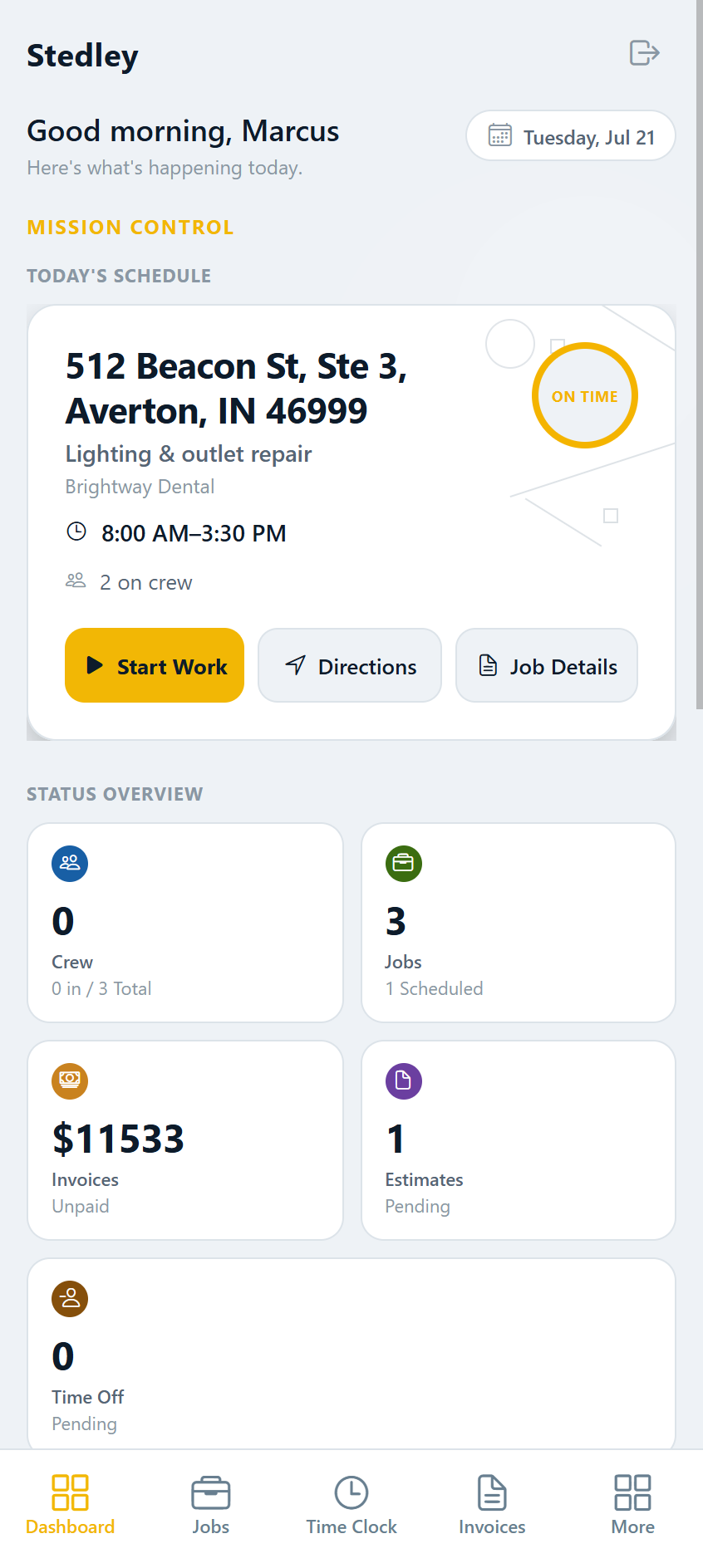
See today's jobs, scheduled work, open invoices, and crew status — plus anything that needs attention — before you're out the door to the first job.Today's jobs, schedule, open invoices, and crew — before you leave.

Stedley Dashboard screen showing today's schedule, crew status, jobs, and unpaid invoices
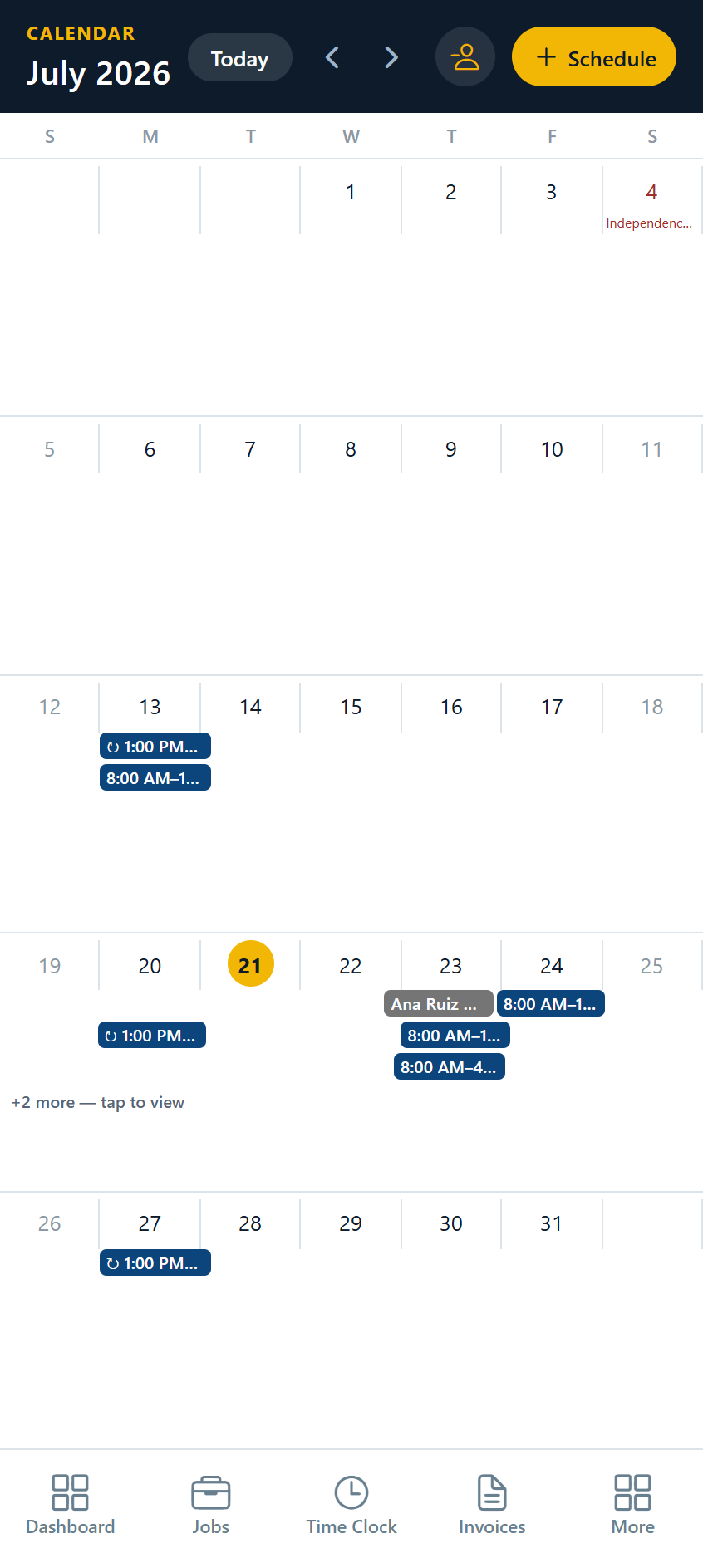
Stedley Calendar screen showing a month of scheduled jobs and crew time off

8:10 AM8:10

ON SITEON SITE

Get moving the moment you arrive.Get moving

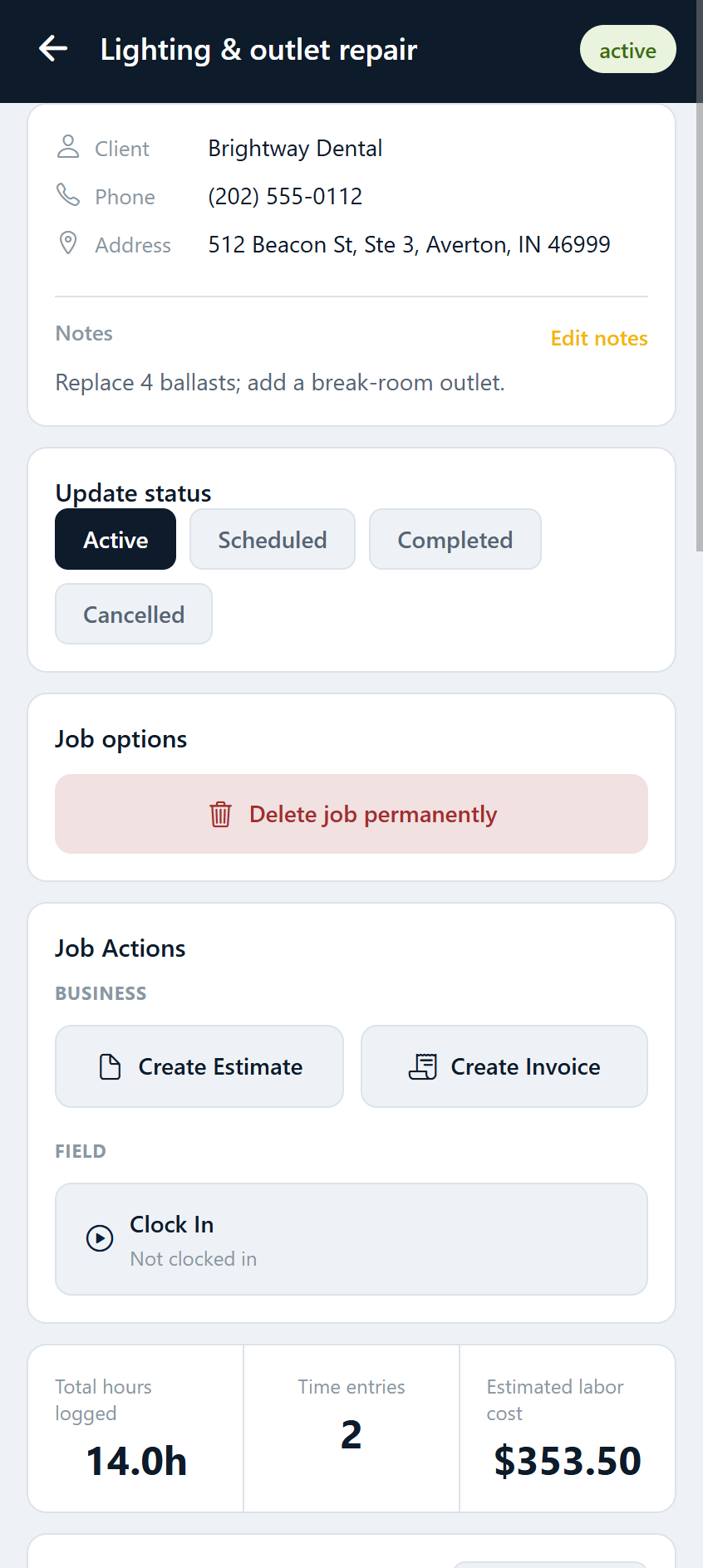
Open the job to see the customer and work details, get directions, check the crew, and clock in — so the whole day stays attached to the right job.Open the job, get directions, check the crew, and clock in.

Stedley Job Detail screen with client contact details, job status controls, and actions to create estimates, create invoices, and clock in
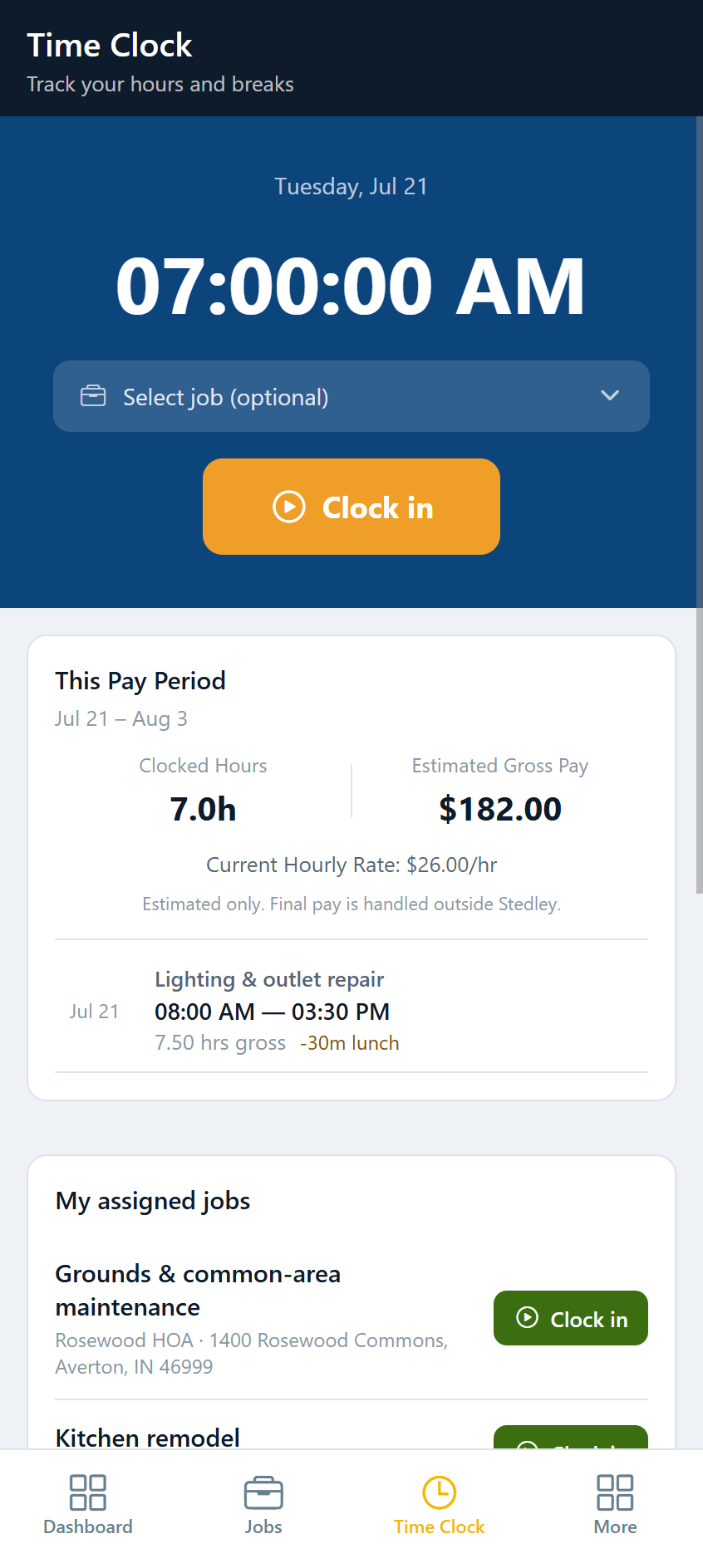
Stedley Time Clock screen with a clock-in button and current pay period hours and estimated pay

11:30 AM11:30

DURINGDURING

Keep everything with the job.Keep it with the job

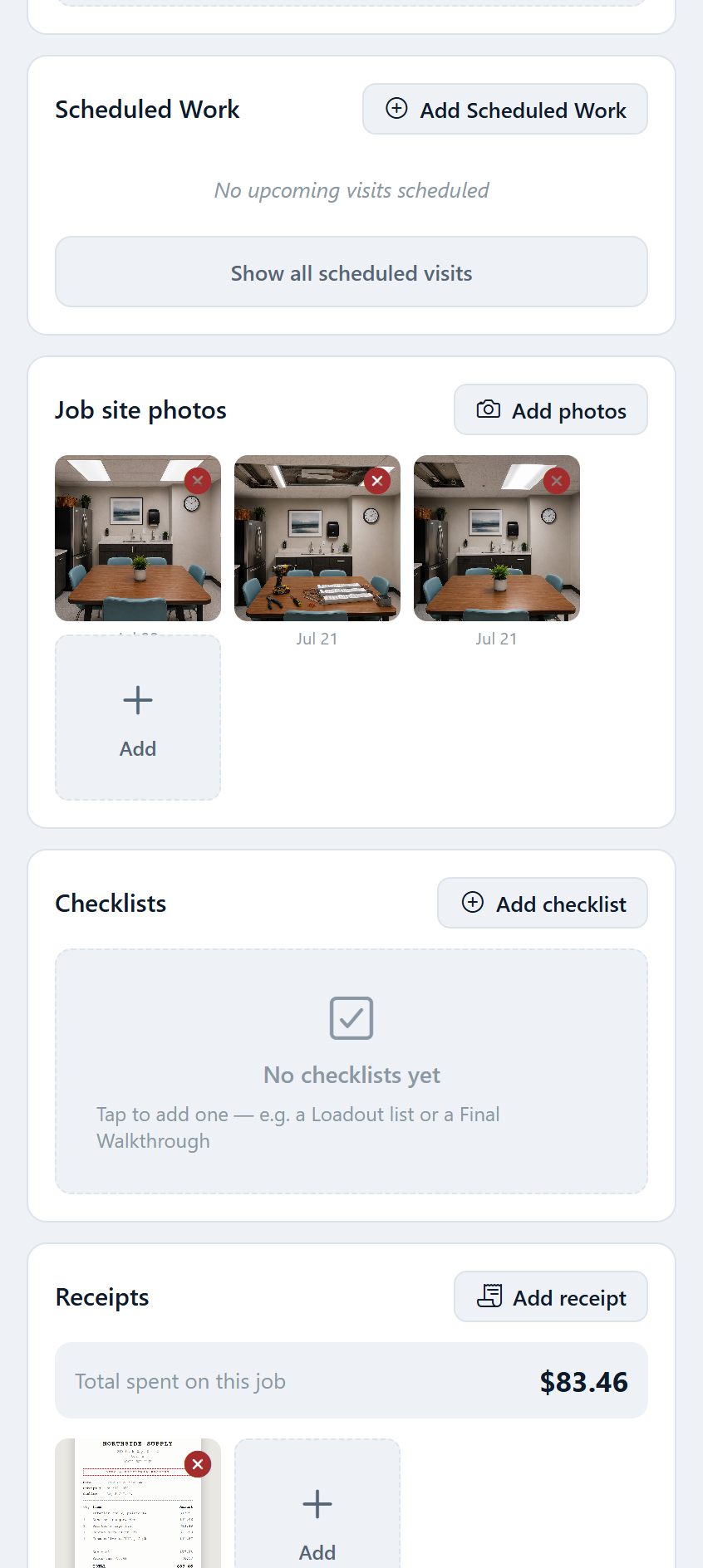
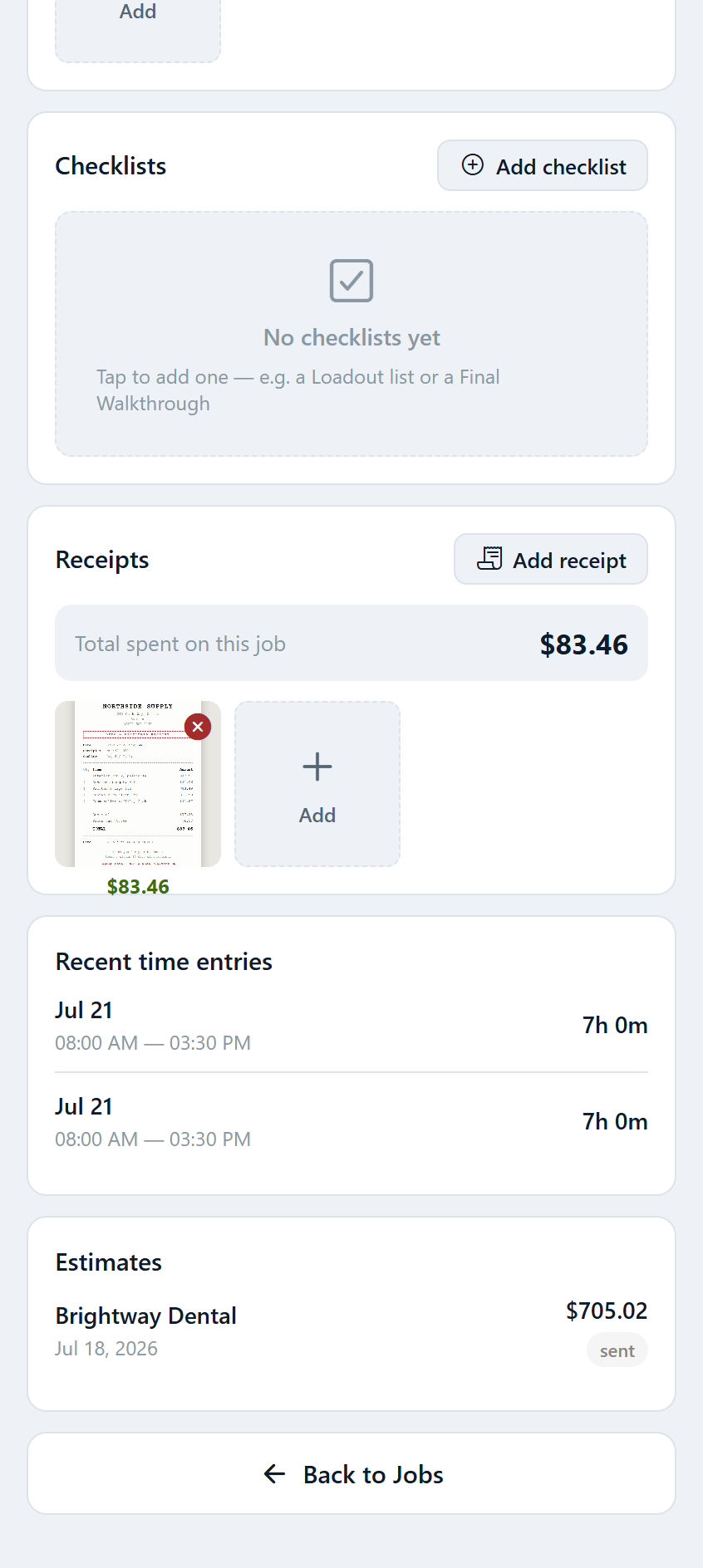
Capture job photos, receipts, notes, and checklist progress while the details are still fresh — filed to the job, not lost in your phone.Photos, receipts, notes, and checklists — filed as you go.

  • Notes
  • Checklists
Stedley Job Photos screen showing before, progress, and completed job-site photos filed to the job
Stedley Receipt Capture screen showing a job receipt filed to the job with its amount and vendor

4:45 PM4:45

WRAP UPWRAP UP

Finish the paperwork before you're home.Finish the paperwork

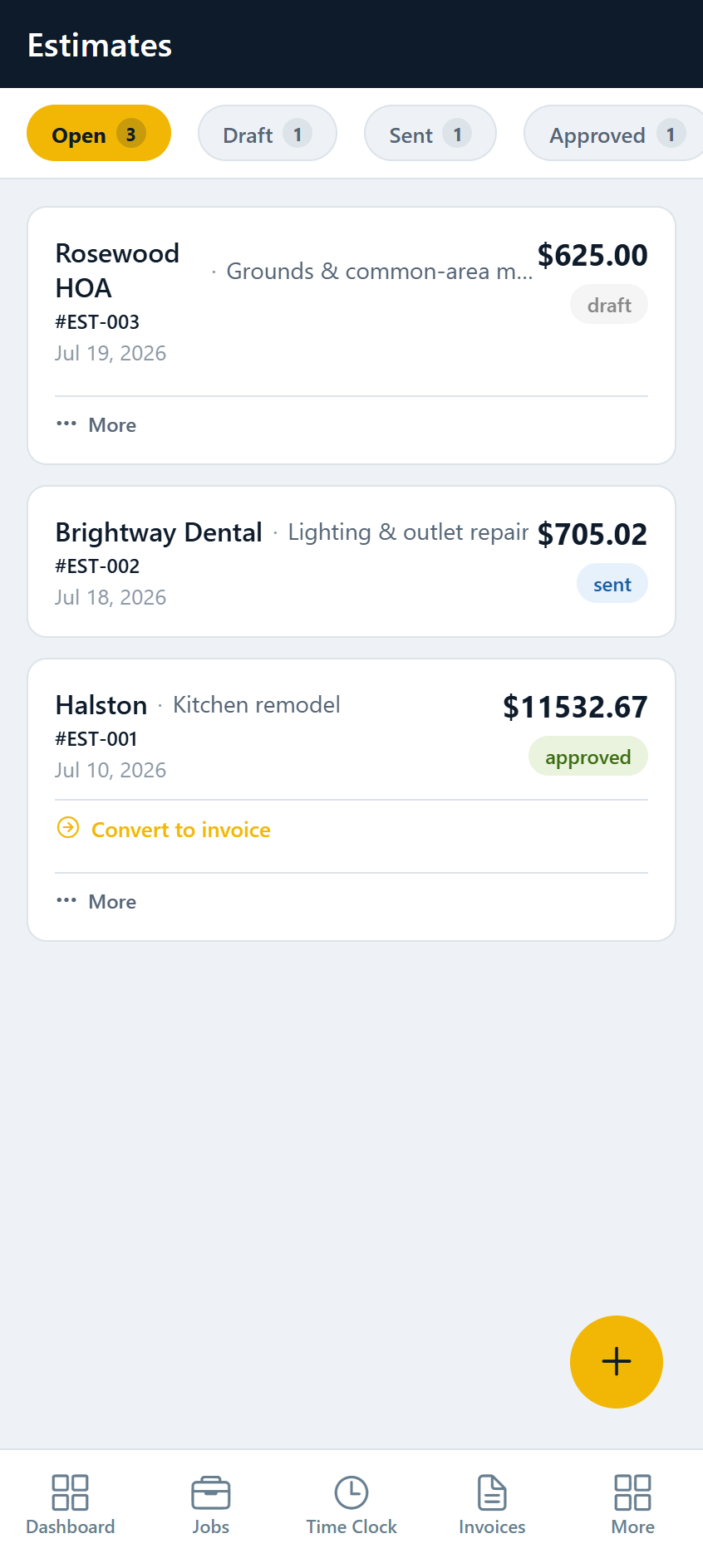
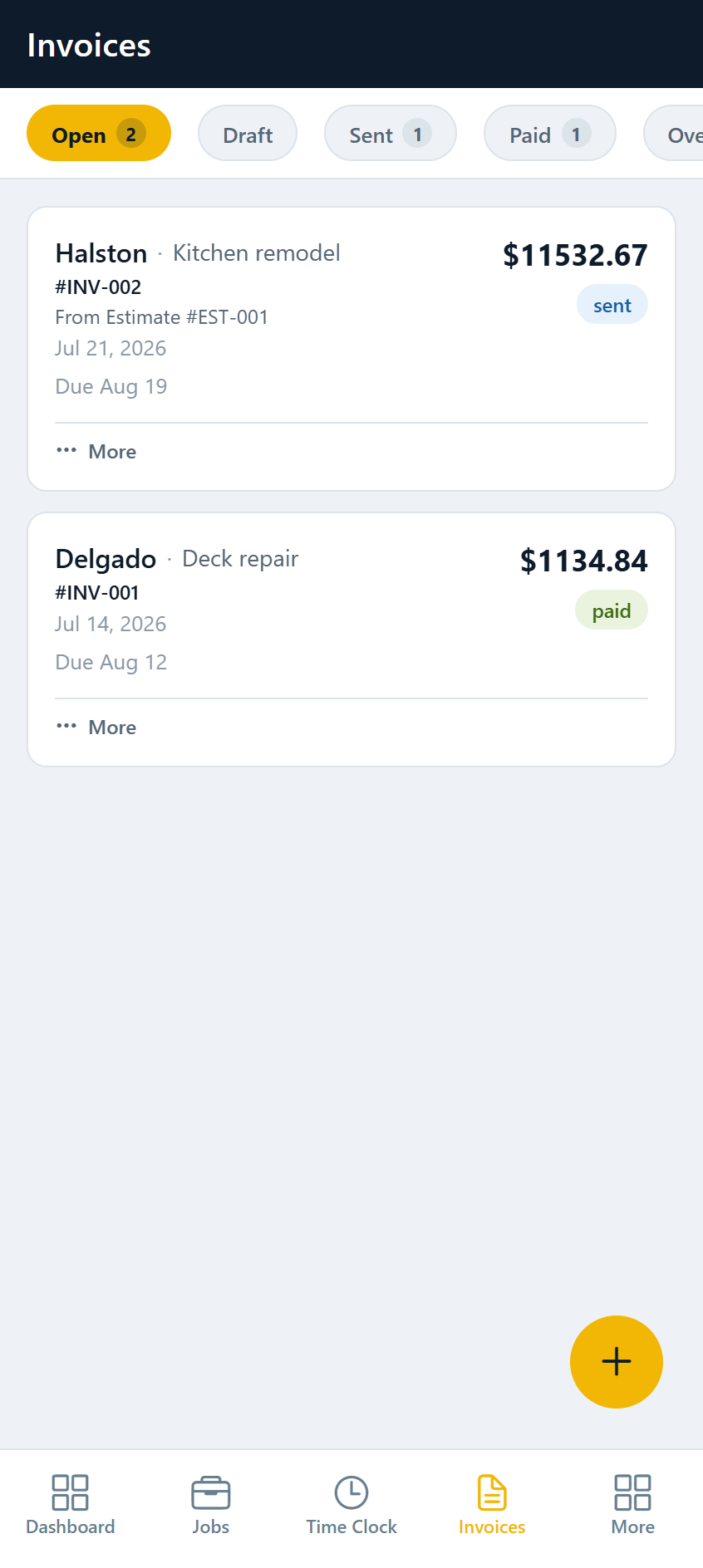
Build or update an estimate, turn approved work into an invoice, and know at a glance what's been sent, paid, or still needs attention.Turn approved work into an invoice; see what's sent and paid.

Stedley Estimates screen listing estimates with amounts and draft, sent, and approved statuses
Stedley Invoices screen listing invoices with amounts and paid, draft, and sent statuses

END OF WEEKEND WK

THE BUSINESSBUSINESS

Keep the business records clean.Clean records

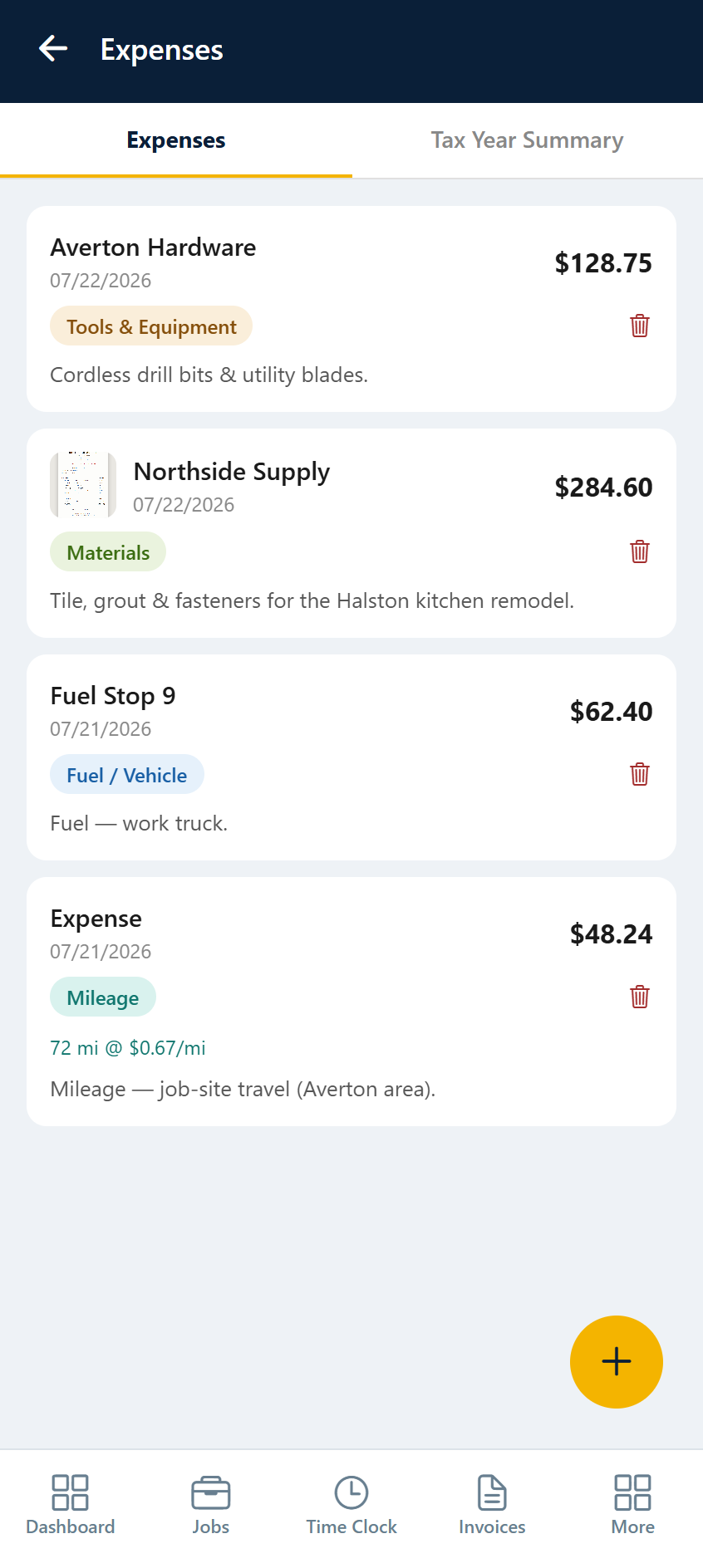
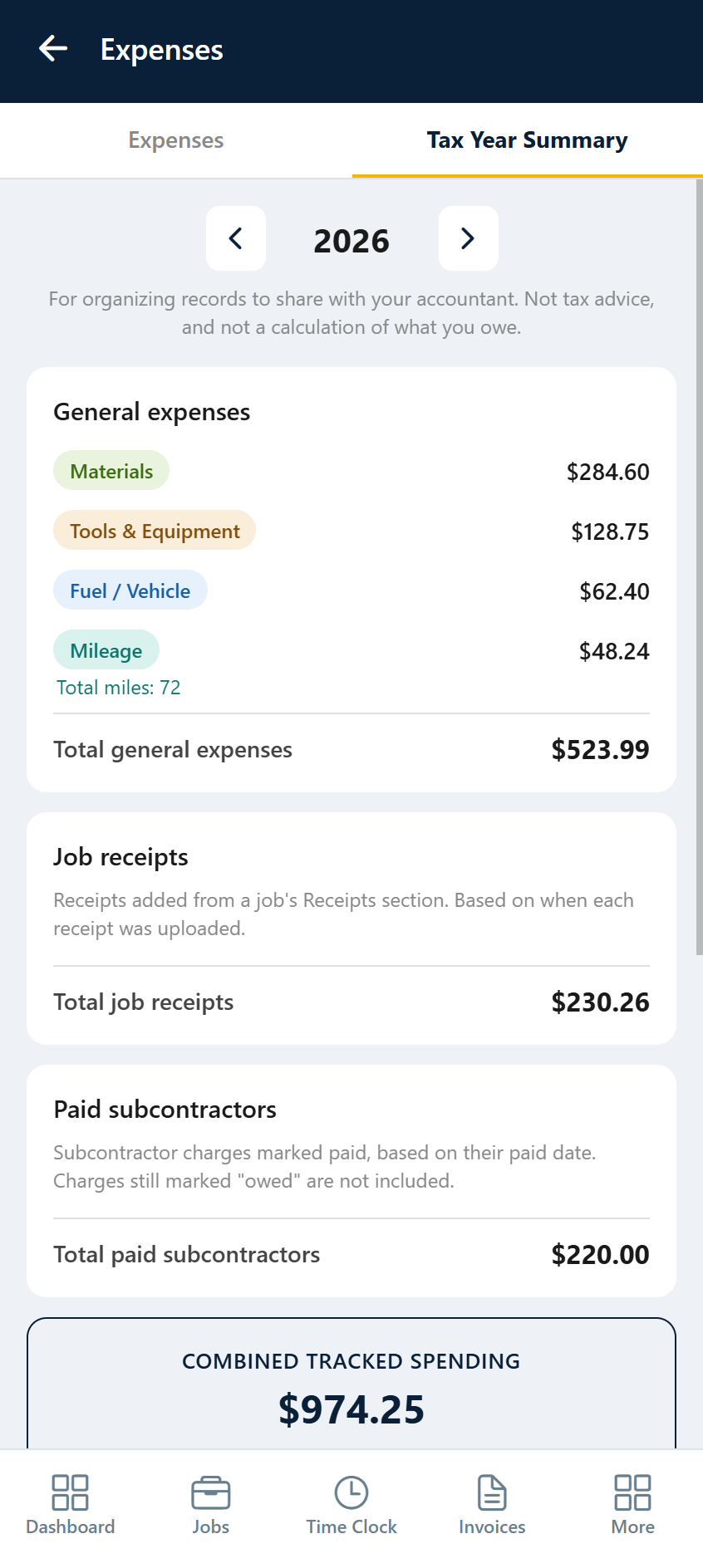
Expenses, receipts, and job records stay organized as you go — so at tax time your accountant gets a clean package instead of a box of loose paperwork.Expenses, receipts, and exports ready for the accountant.

Stedley Expenses screen listing business expenses by category with amounts and a receipt thumbnail
Stedley Accountant Export screen showing expense category totals and combined tracked spending for the tax year

Why Stedley

Stedley is built around how small contractors really work. The goal isn't to become accounting software, payroll software, or another oversized business platform — it's to keep the work and paperwork organized without getting in the way.Built around how small contractors really work — keeping the work and paperwork organized without getting in the way.

Built by a contractor

Stedley started with real days in the field — keeping track of jobs, estimates, invoices, schedules, receipts, photos, subcontractors, and crew hours while still trying to get the actual work done.Stedley started with real days in the field, keeping track of everything while still trying to get the work done.

Jeremy — founder and working contractor

EVERYTHING IN ONE PLACE

CORE WORKFLOWS

The tools a small contractor actually uses.The tools you actually use.

  1. Jobs & clients

    Every job, client, and address in one list you can actually read.Every job, client, and address in one readable list.

  2. Estimates & invoices

    Quote it, send it, turn approved work into an invoice, and track what's owed.Quote it, send it, get paid, track what's owed.

  3. Scheduling & recurring

    Schedule jobs and recurring work without rebuilding the week by hand.Schedule jobs and recurring work without rebuilding the week by hand.

  4. Time tracking & crews

    Clock in on the job; track crew hours and estimated pay by period.Clock in on the job; track crew hours and pay.

  5. Job photos & receipts

    Captured on site and filed to the right job, not lost in your camera roll.Captured on site and filed to the right job.

  6. Records & exports

    Accountant-ready records when tax time comes around.Accountant-ready records at tax time.

PRIVATE BETA

Join the Stedley private beta.

Tell us a little about your work. We'll reach out when a testing spot opens.